 Software Keys
 Educational Tools
 VPN
VPN GiftCard
 Games
GamesHow to Access Shared Netflix of DGHUB Nepal?

Hi, are you stuck to access the account details purchased from DGHUB NEPAL? Have you made purchase Netflix shared plan from us and don’t know how to login it in your device. If so then read this full blog guide to know about and you will be full confident to login it. Also we will share the set of rules which is set by DGHUB with their shared Netflix plan.
So, hey there 👋 here is the full tutorial to access shared Netflix login. First of all what you need to do is that find your login credentials provided by DGHUB in your license if you don’t know how to here is the guide to find login details. Once you find your login details grab and copy the details and follow the guide as shown as below.
Open Netflix App
First of all open Netflix app in your Mobile, Desktop, Tablet, or any device if you have laptop and want to use in browser you will have to open Netflix Website.
Fill Login Details in App
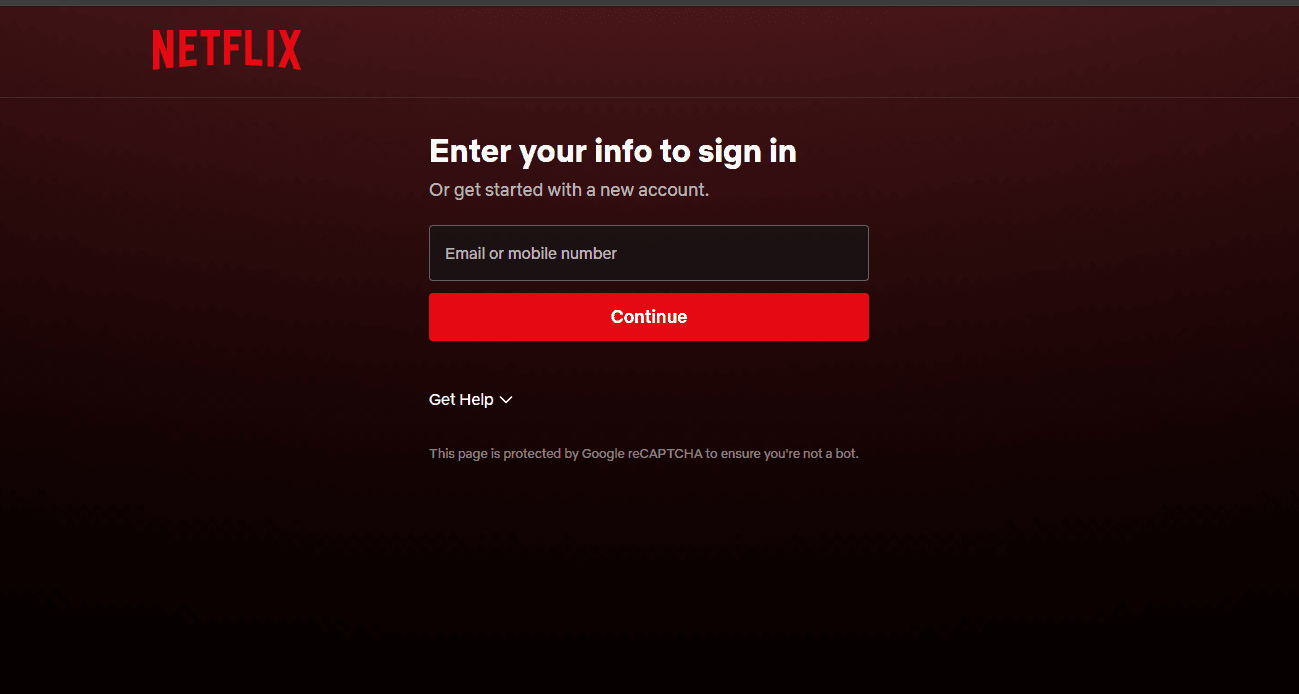
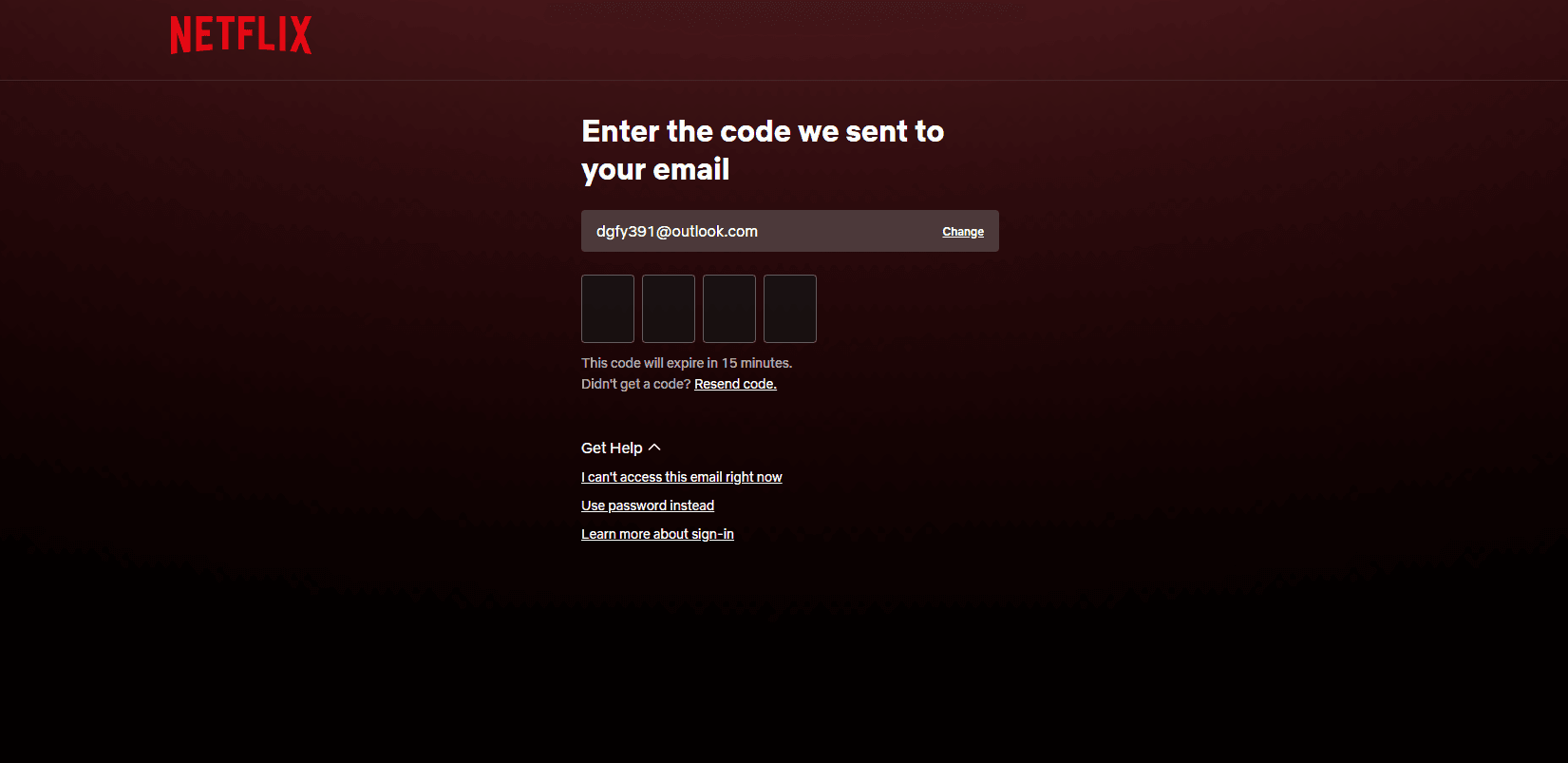
Now you will see a textbox asking to enter email. Grab the email provided in your DGHUB license and paste it into the textbox as you enter it press red Continue button just below the textbox. As you press it it will as for OTP. Now click on GET HELP button placed just below of that. Now you can see three option there one of them is “Use Password Instead” click on that option and you will as to enter the password. Now copy the password as it is in the DGHUB License and paste there and press continue and you will be logged in.
Accessing Profile
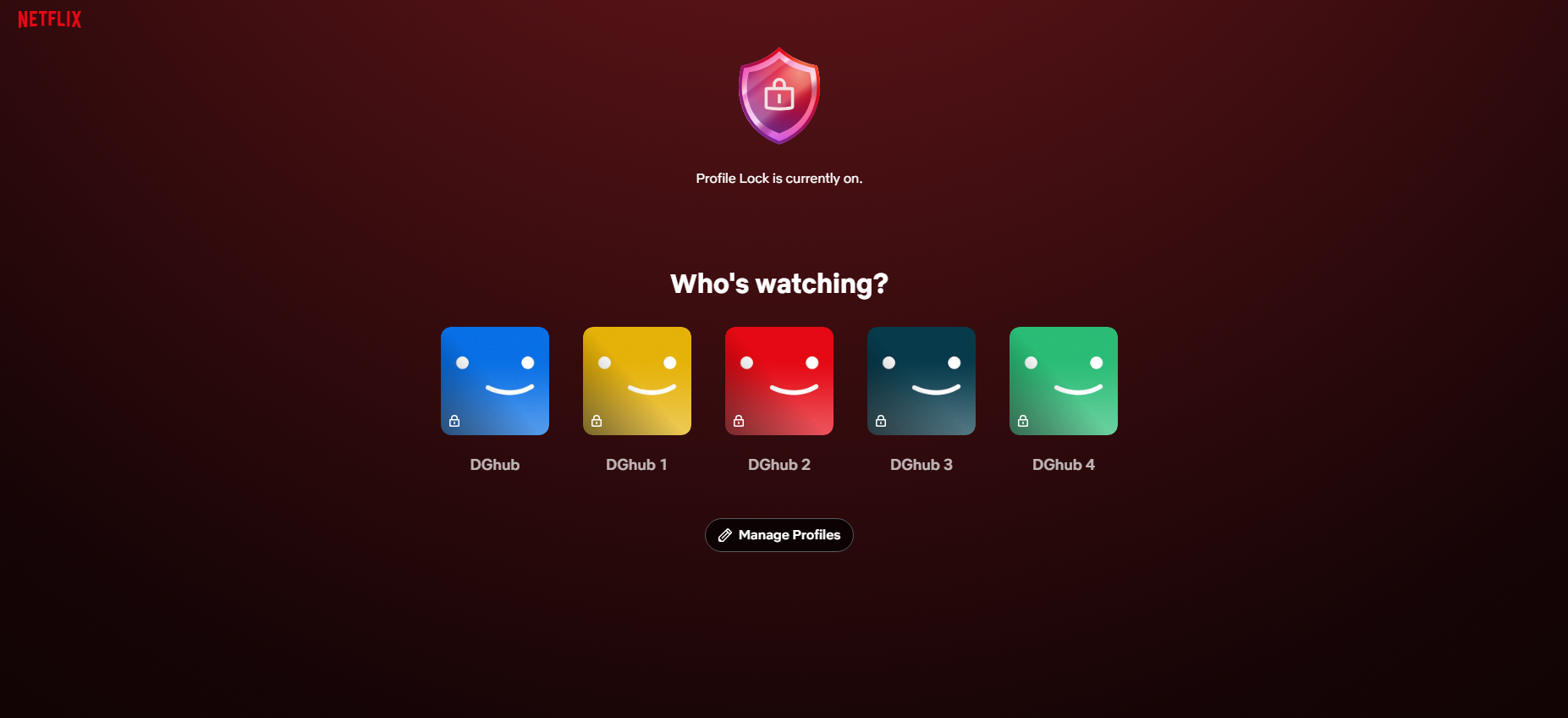
Now as you successfully logged in Netflix account you will see punch of profiles there. Now once again go to your DGHUB license and find which profile is associated to you. Also with profile name you will see a Profile PIN which will be used to access your profile. Now open Netflix again and click on associated profile and enter the provided PIN. Now you have successfully accessed the Netflix and now you can explore all movies and shows available on Netflix.
Rules to be followed
Here is the rules set by DGHUB for shared products.
- Only one device login allowed.
- Device switching not allowed.
- Sharing of login details is prohibited.
- Profiles name, PIN, password is not allowed to change.
Must maintain the rules and follow it any violation of the rule will cause to termination of your license and you will be logged out from the Netflix. If you have any other query or question regarding Netflix Plan don’t hesitate to contact us. Have a great day may this blog help to make your experience better.